Here Today, Gone Tomorrow: The Real Reasons Your Favorite Mods Keep Disappearing (And How to Save Them)
You open up your mod manager on a Tuesday afternoon, ready to fire up your favorite playthrough, and something's wrong. The download link is dead. The mod page is a 404. The creator's profile? Wiped clean. You do a quick search and find a Reddit thread from six hours ago where a dozen other people are asking the same question: where did it go?
This isn't a rare glitch. It's practically a rite of passage in the modding community. Mods disappear all the time — popular ones, obscure ones, decade-old ones that seemed permanent. And while it stings every time, most players never really dig into why it happens or what they could've done to prevent the loss. That's exactly what we're here to fix.
The Three Big Killers (And They're Not What You Think)
When a mod goes dark, most people assume the creator just rage-quit or got bored. Sometimes that's true. But the more common culprits are a little less dramatic and a lot more systemic.
Copyright strikes and takedown notices are probably the single biggest reason well-loved mods disappear overnight. Publishers and IP holders have gotten increasingly aggressive about protecting their assets — even when the mod in question is clearly a labor of love made by a fan, for fans, for free. If a mod uses ripped audio, extracted textures, or any assets pulled directly from a game's files, it's technically infringing on copyright. A DMCA notice lands, the hosting platform complies, and the mod is gone before the creator even has a chance to respond. Nexus Mods, ModDB, and similar platforms aren't going to fight a legal battle on a modder's behalf.
Platform shutdowns and hosting failures are the quieter disaster. Remember when GameFront went dark back in 2016? Thousands of mods — some with no other backup anywhere on the internet — vanished in an instant. The site eventually came back under new ownership, but not everything was recovered. Hosting platforms are businesses, and businesses close. When they do, they don't always give users time to grab their files.
Creator burnout and account deletion rounds out the top three. This one's more personal. Modders are human beings who sometimes hit a wall, get frustrated with community drama, or just decide they're done. When they delete their accounts — or when platforms purge inactive accounts — everything they uploaded goes with them. No warning, no archive, no goodbye.
Why the Timing Always Feels Random
Here's something worth understanding: mod deletions almost never feel predictable because most of them aren't predictable, even to the people involved. A creator might get a takedown notice years after uploading something. A hosting site might announce a shutdown with two weeks' notice. A modder might delete everything on a Sunday night because they had a bad week.
There's no early warning system. No mod-preservation alert that pings your phone when something's about to go offline. The modding community has largely operated on the assumption that what's up will stay up, and that assumption keeps getting proven wrong.
How to Actually Back Up Mods Before They Disappear
Okay, enough doom and gloom. Here's the practical stuff — what you can actually do right now to protect the mods you care about.
Step 1: Download First, Appreciate Later
If you're playing a mod and you like it, download a local copy immediately — even if you already installed it through a mod manager. Mod managers like Vortex or MO2 often cache files, but don't count on that cache surviving a reinstall or a system wipe. Save the original archive (.zip, .rar, .7z, whatever it came in) to a dedicated folder on your hard drive.
Build a habit: install it, like it, archive it. In that order.
Step 2: Use an External Drive or Cloud Backup
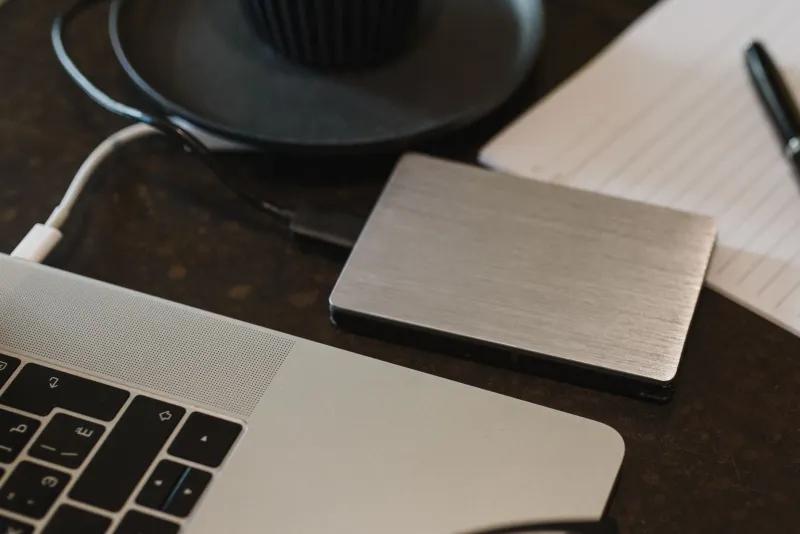
A local copy is better than nothing, but it's still one hard drive failure away from oblivion. Set up a second destination — an external SSD, a NAS drive, or a cloud storage service like Google Drive, Dropbox, or Backblaze. If you're serious about preservation, Backblaze's B2 cloud storage is cheap and reliable for large file archives.
Organize your backups by game, then by mod name and version. You'll thank yourself later when you're looking for a specific file two years from now.
Step 3: Check the Internet Archive First
Before you panic about a dead mod page, check the Wayback Machine. Archive.org crawls a massive chunk of the web, and there's a solid chance the mod's page — and sometimes even the file itself — was captured at some point. It's not a guaranteed fix, but it's saved a lot of people from losing mods they thought were gone forever.
You can also submit URLs to the Wayback Machine yourself. If you find a mod you love and want to make sure the page is archived, paste the URL into the "Save Page Now" tool. It takes about ten seconds.
Step 4: Preserve the Metadata Too
This one gets overlooked. When you back up a mod, don't just save the file — save the mod page itself. Screenshot the description, the version history, the install instructions, the credits. Use a browser extension like SingleFile to save a full offline copy of the page as an HTML file. If the mod ever gets pulled, you'll still have the documentation, which matters a lot when you're trying to reinstall something two years later and can't remember what load order it needed.
Step 5: Get Involved in Community Archiving Efforts
You don't have to do this alone. There are active communities on Discord and Reddit dedicated to mod preservation — groups that systematically archive mods for specific games before they can disappear. The modding community around games like Morrowind, Oblivion, and older Half-Life titles has been particularly organized about this.
If you find a community archive project for a game you love, contribute to it. Upload your backups, share your links, flag mods that look like they might be at risk. Preservation is a group effort.
The Bigger Picture
Mod preservation isn't just about convenience. It's about cultural history. Mods are creative works — sometimes incredibly ambitious ones — made by real people who poured real time into them. When they disappear, something genuinely valuable is lost. Future modders lose the chance to study them. Players lose experiences that can't be replicated. The community loses a piece of its own story.
The good news is that this is a solvable problem, at least on an individual level. You can't stop a publisher from filing a DMCA notice. You can't keep a hosting platform from shutting down. But you can make sure your own library is backed up, your favorite mods are archived somewhere safe, and the things you love don't just vanish into the void the next time something goes sideways.
Start today. Seriously — go check your mod folders right now. If there's something in there you'd be genuinely upset to lose, make a backup before you close this tab.
Because on the internet, "still up" and "safe" are two very different things.